
NewsNation
Nexstar Inc.News & Magazines
3.3491.00 Reviews
- Version
- Varies With Device
- Installs
- 100.00K
- Age Rating
- Everyone
Screenshots
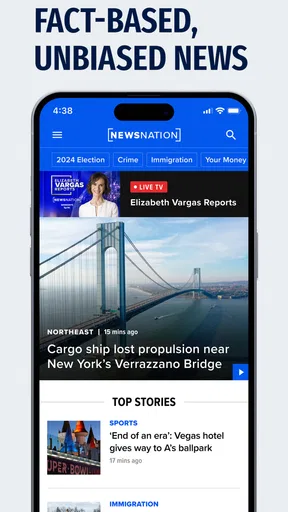
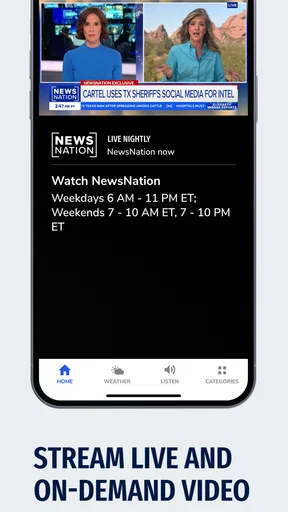
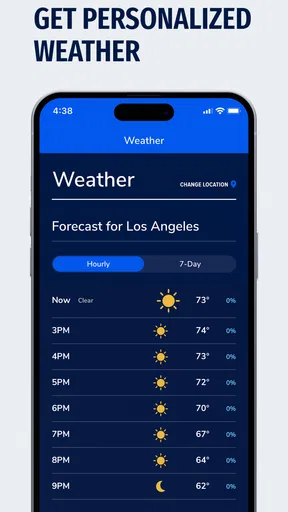
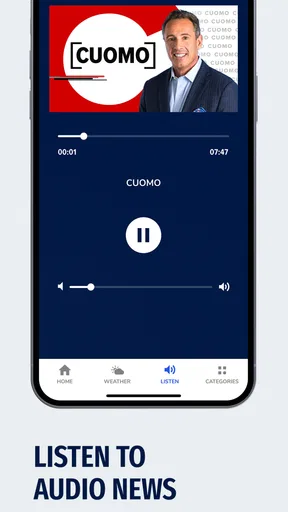
Our Review of NewsNation
 Analysis by Appyee
When I open NewsNation, I am looking for one particular thing: a news app that keeps the focus on reporting rather than turning every update into a loud opinion segment. That is the central promise I tested in everyday use, and it is also the reason this app may appeal to people who want a straightforward way to follow current events on a phone.
NewsNation is a free news and magazine app from Nexstar Inc. It is available for an Everyone audience, so its basic positioning is broad and accessible rather than aimed at a specialist readership. The app has been available since August 26, 2020, and has passed the 100K+ install mark. Its average score sits at 3.3 from over 800 ratings, with more than 400 written reviews, which suggests a useful but not universally smooth experience.
My overall impression is that the app works best when I treat it as a focused news destination, not as a complete replacement for every source I use. Its strength is the idea of fact-based, unbiased coverage available throughout the day. In practice, the value comes from having a single place to check the NewsNation perspective and decide whether a story deserves a deeper look elsewhere.
One clear capability: a calmer way to check the news
The most important capability here is the app’s emphasis on fact-based coverage. That sounds simple, but it changes how I use it. Instead of opening a social feed and immediately seeing a mixture of headlines, reactions, advertisements, and arguments, I can approach NewsNation with a more specific purpose: check what is being reported, read the available context, and move on.
I would not describe that as a guarantee that every reader will agree with every story. News is still selected, framed, and presented by an editorial organization. The practical benefit is different: the app gives me a more direct route to news coverage without requiring me to sort through a social platform first.
That distinction matters during busy parts of the day. If I have a few minutes before work, I do not necessarily want a long collection of newsletters or a personalized feed that keeps changing based on my previous clicks. I want to see what is worth my attention now. NewsNation fits that habit better than apps built mainly around endless discovery.
The app is also more approachable than a specialist publication. I do not need to understand a particular editorial vocabulary or follow a narrow subject area before using it. The broad news-and-magazine category makes sense because the experience is intended for general current-events reading rather than only business, sports, technology, or local reporting.
The real advantage is not simply having news on a phone; it is reducing the distance between opening the app and finding a readable report. That makes the app useful for quick check-ins, especially when I want to avoid confusing commentary with the underlying event.
Why this focus is more useful than it first appears
A generic news feed often rewards speed and emotional reaction. I may see a dramatic headline, read a few comments, and leave with a strong impression without understanding what actually happened. NewsNation is more useful when I use it as the first step in a verification routine rather than as a source of instant conclusions.
For example, I can read a report in the app, note the basic facts, and then compare the same event with a local source or a publication that specializes in the subject. That workflow is more reliable than sharing a headline immediately. The app does not need to be my only source to be valuable; it can be the place where I begin with a cleaner overview.
Another subtle benefit is mental separation. I can use the app for news, then close it, instead of mixing current events with personal messages and entertainment in the same feed. That separation helps me decide when I am intentionally catching up and when I am merely being pulled into another stream of updates.
How I use it in practice
My practical approach is to open the app with a question in mind. I might want to know what major story has developed, whether an ongoing event has changed, or whether a headline I saw elsewhere has enough substance to investigate. That small habit prevents the session from becoming aimless scrolling.
I start with the main news flow and scan the headlines without assuming that the most dramatic wording represents the complete story. I then choose one or two items that match my interests and read beyond the first line. This is where the app’s value becomes clearer: it gives me a structured place to begin, but I still have to apply judgment.
I also recommend using it at set points rather than constantly checking for updates. A morning visit can provide a broad orientation, while an evening visit can help me see what developed during the day. For people who feel overwhelmed by nonstop alerts and rolling feeds, this deliberate pattern is more comfortable than treating the phone as a permanent news ticker.
One useful workflow is to make NewsNation the “first read” and another source the “second read.” I use the first read to understand the event in plain terms. I use the second to look for local implications, specialist explanation, or a different editorial approach. This gives the app a defined role and avoids expecting it to answer every possible question about a complex story.
That role is especially helpful for readers who do not want to maintain a large collection of separate news apps. One general news app can cover the initial check, while a browser or a dedicated publication handles deeper research only when necessary. In my experience, this is less distracting than subscribing to several sources that all demand attention throughout the day.
A realistic everyday scenario
Imagine that I am leaving home and have five minutes before an appointment. I want to know whether there is a major development that could affect my plans, but I do not have time to watch a full program or read several long articles. I open NewsNation, scan the current coverage, and select the report that appears most relevant.
The useful result is not that I become an expert on the subject in those five minutes. The useful result is that I gain enough orientation to decide what deserves attention later. If the story concerns my area, I can follow up with a local source. If it is a national development, I can return to it when I have more time. If it is not relevant, I can close the app without losing half an hour to unrelated posts.
This is where the app’s broad audience positioning works in its favor. It is suitable for a quick general check, including for someone who does not want to build a complicated personal news system. The experience is less valuable for a reader who needs professional-level depth immediately, but it is practical for ordinary daily awareness.
What I would check before trusting a headline
I pay attention to the difference between the headline and the body of the report. A headline has to be brief, while a developing event may have important qualifications. Reading the full item before forming an opinion is a small step, but it is one of the best ways to use a general news app responsibly.
I also look at the date and context of the report when the subject is changing quickly. A story can remain visible after new information has appeared. That is not unique to NewsNation; it is a normal challenge with digital news. The app is most effective when I treat each item as a snapshot in an ongoing story, not as the final word.
For major decisions, I would still compare sources. This is particularly important for health, finance, legal matters, emergencies, or local situations where precise details can change quickly. NewsNation can help me understand what is being discussed, but a general news app should not replace official instructions or specialist advice.
The tradeoffs behind the straightforward approach
The same focus that makes NewsNation easy to approach also limits it. Readers who want extensive customization, highly specialized reporting, or a large archive of tools may find the experience less satisfying than a more established newspaper app or an advanced news aggregator.
I also would not choose it if my main goal were to combine dozens of sources into one deeply personalized dashboard. Aggregators are better for that job because they let me compare publications, topics, and feeds in a more granular way. NewsNation makes more sense when I want one recognizable destination rather than a control panel for the entire news internet.
There is another tradeoff in the emphasis on unbiased coverage. The phrase is appealing, but no reader should interpret it as a reason to stop comparing perspectives. A responsible approach is to appreciate the attempt at fact-centered reporting while remaining aware that selection and presentation still influence what I see. The app can support balanced reading, but balance also depends on how I use it.
The 3.3 average rating is a reminder to keep expectations realistic. It indicates that the app has found an audience, but the experience has not been perfect for everyone. I would not install it expecting a flawless replacement for every other news service. I would install it to test whether its style of coverage and daily rhythm match my habits.
Because the app is free, the barrier to trying it is low. That makes the decision fairly simple: use it for several ordinary news checks, notice whether the presentation helps you understand stories, and keep it only if it improves your routine. The absence of a purchase decision makes experimentation easier, but it does not remove the need to judge the app by its usefulness.
When another option is better
I would steer a reader toward a local news app when the main need is neighborhood-level information, community reporting, school updates, or precise regional conditions. A broad national news destination cannot serve that purpose as well as a source built around one area.
I would also choose a specialist publication for readers who follow markets, science, technology, sports, or politics in depth. Specialist services usually provide more focused context and terminology. NewsNation is better as a general starting point than as the only tool for a demanding subject expert.
For someone who enjoys audio or video news more than reading, a broadcast-oriented alternative may feel more natural. Likewise, readers who want newsletters, saved research, extensive personalization, or cross-publication comparison may prefer a newspaper subscription or aggregator. NewsNation’s appeal is its directness, not its ability to become an all-purpose information workspace.
Finally, people who want a completely opinion-free understanding of an event should be cautious with any single news app. I can use NewsNation as one part of a comparison habit, but I would not treat any one editorial source as the entire picture. That is not a criticism aimed only at this app; it is a sensible rule for digital news generally.
Who gains the most from using it
NewsNation is a good fit for readers who want a free, general news app with a fact-centered tone and a simple purpose. It suits someone who checks the news in short sessions, prefers reading to managing a collection of feeds, and wants a clear starting point before deciding whether to investigate further.
It may also help people who are tired of social-media news. If headlines surrounded by reactions and arguments make it difficult to tell what is confirmed, a dedicated news app can create useful distance. The app does not solve every problem of modern news consumption, but it gives me a more intentional place to begin.
It is less suitable for a reader who needs local specialization, deep archives, extensive personalization, or a single source that covers every topic with expert-level detail. Those users will probably be happier pairing it with a local publication, specialist service, or aggregator rather than relying on it alone.
The Everyone age rating makes it approachable for a wide range of readers, including households looking for a general news option. Still, the subject matter of current events can naturally include serious or unsettling topics, so the age label should not be confused with a promise that every story will feel light or comfortable.
My recommendation is to think of NewsNation as a dependable first stop rather than a complete news diet. I like the discipline of opening it with a purpose, reading the full report, and comparing important stories when the stakes are high. That workflow makes the app more useful than simply scrolling through headlines.
After using it this way, I see a clear reason to try it: it offers a free and accessible route to general news without forcing me into the noise of a social feed. I also see the boundary clearly. It cannot replace local reporting, specialist analysis, or careful source comparison. For readers who want a calmer first look at the day’s events, however, NewsNation earns a place on the phone because its strongest capability is also its most practical one: helping me start with the news itself before deciding what deserves my time.
Verdict
Strengths of NewsNation
- Clear focus on U.S. news and current affairs
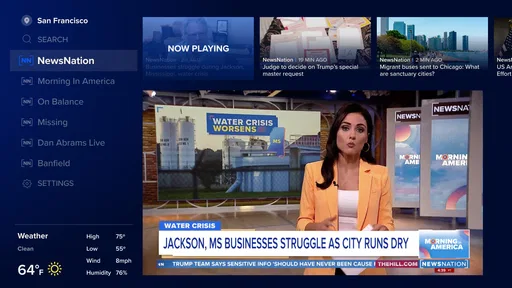
- Live coverage helps users follow developing stories
- Video reports add context beyond written headlines
- Straightforward layout makes articles easy to find
- Useful for readers seeking an alternative news source
Limitations of NewsNation
- Some content may reflect a distinctly U.S.-centered perspective
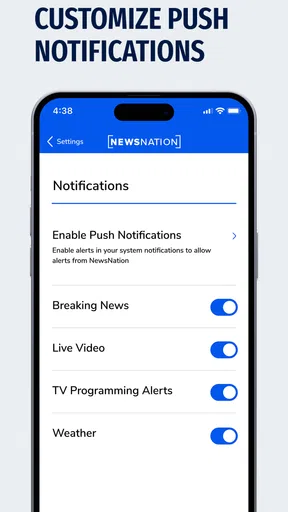
- Breaking-news notifications can become frequent
- Video streaming may use significant mobile data
- Coverage depth can vary between topics
- Some features or content may require an account
Other Releases by Nexstar Inc.
View All
WIVB News 4
News & Magazines3.7

WGN-TV
News & Magazines3.3

KTLA 5 News Los Angeles
News & Magazines3.1

Arkansas Storm Team
Weather4.4
Similar Picks in This Category
View All
Google News - Daily Headlines
Google LLC4.0

X
X Corp.4.8

Flipboard:Your Social Magazine
Flipboard3.4

Opera News: breaking & local
Opera4.5

Hindi News by Dainik Bhaskar
Dainik Bhaskar Group4.0

Way2News Daily News App
Way2News ( Formerly Way2SMS )4.6
Frequently Asked Questions
What is NewsNation, and what type of news does it provide?
NewsNation is a U.S.-focused news app and digital news platform offering live coverage, breaking news, politics, national events, local stories, business, weather, and opinion-related programming. Its content is presented through written articles, video reports, interviews, and live television streams, depending on your location and the current availability of each program or broadcast.
Is the NewsNation app free to download and use?
The NewsNation app is generally free to download, and many articles, clips, headlines, and live news updates can be accessed without paying. However, some features may depend on your television provider, location, or streaming platform. Mobile data charges may also apply when watching live video, so using Wi-Fi is recommended for extended viewing.
Can I watch NewsNation live through the app?
In supported regions, the app may provide access to live NewsNation programming, breaking-news coverage, or selected video streams. Availability can vary according to your location, device, internet connection, and distribution agreements. If a live stream is unavailable, you can usually still browse articles, watch on-demand clips, review headlines, and follow ongoing stories.
Does NewsNation require a cable or streaming television subscription?
A cable, satellite, or participating streaming-TV subscription may be required for certain live channels or full program access, although other content can often be viewed without signing in. Requirements are not identical for every feature, and they may change over time. Check the app’s sign-in or provider list before assuming all broadcasts are freely available.
What permissions and device requirements should I know about before installing NewsNation?
NewsNation typically requires a compatible Android or iOS device and a reliable internet connection for articles, images, video, notifications, and live streams. Depending on the features you enable, the app may request permission to send notifications or use related device functions. Review the store listing, privacy policy, and app permissions before installation, especially if privacy is a priority.
